
Malicious acts and conflict · Risk index 7/9 (Quebec) · 7/9 (France)
Cyberattack
A cyberattack can empty a bank account, lock your family photos or cripple a hospital, grocery chain or payment network. Most attacks on individuals start with a simple message.
Quebec / Canada
France
If you only do three things
- 1Turn on two-factor authentication for email and banking
- 2Back up important files offline
- 3Never act in a hurry on a message asking you to pay or log in
Lasting collapse?
Key figures
A daily threat, and growing.
Understanding the risk
Two ways to be hit.
The first is direct: you are the target. Phishing (fake email or text), hacking of your email or social media account, fake tech support, identity theft, payment fraud. In France, phishing remains the top threat for all audiences, followed by account hacking and fake tech support.
The second is indirect: an organization you depend on is paralyzed. According to the Canadian Centre for Cyber Security, ransomware is the main cybercrime threat to critical infrastructure. A hospital postponing appointments, a payment network down, a municipality without its systems: this is where cyberattacks meet emergency preparedness.
Severity
For individuals, consequences range from lost money to permanent loss of files (photos, documents) and identity theft, which can take months to resolve.
For a community, a major cyberattack can trigger cascading outages: electronic payments, telecommunications, distribution, health care. That is why it helps to keep some cash and essential documents on paper.
In detail
The most common scams and the right reflex.
| Scam | Warning sign | Right reflex |
|---|---|---|
| Phishing (email, text) | Link, urgency, errors, odd sender | Don’t click; go through the official site |
| Fake tech support | Pop-up that locks the screen, number to call | Close the browser; never grant remote access |
| Account hacking | Unknown login, password changed | Reset, turn on two-factor, warn contacts |
| Payment fraud or fake advisor | Call “from the bank” asking for a code | Hang up and call the bank’s official number |
| Ransomware | Unreadable files, ransom demand | Disconnect the device, restore from backup, report |
Assess your exposure
Are you more exposed than average?
Tick what applies to your situation.
Get prepared
Your preparedness checklist
Tick items as you go: your progress is saved on this device.
Suggested kits and plans
Before, during, after
The right actions, before, during and after an attack.
Before
- Unique passwords
- Two-factor authentication
- Offline backup
- Automatic updates
- Cash and paper copies
During
- Don’t pay a ransom or give out a code
- Disconnect the affected device from the internet
- Change passwords from another clean device
- Call your bank’s official number if money is involved
- Keep evidence (screenshots, messages)
After
- Report the incident (police, official bodies)
- Monitor accounts and your credit file
- Warn contacts if an account was hacked
- Restore from a clean backup
- Review your security settings
In Quebec, Canada and France
What changes depending on where you live.
Quebec / Canada
In Canada, fraud is reported to the Canadian Anti-Fraud Centre and local police. The Canadian Centre for Cyber Security publishes advice for individuals through Get Cyber Safe.
- Fraud
- Canadian Anti-Fraud Centre
- Emergency or fraud in progress
- Local police or 911
- Advice
- Get Cyber Safe
- Credit
- Equifax and TransUnion
France
In France, Cybermalveillance.gouv.fr helps victims diagnose their problem and points them to help. Phishing texts are reported to 33700 and on the PHAROS platform.
- Help
- Cybermalveillance.gouv.fr
- Scam texts
- 33700
- Online complaint
- THESEE
- Bank card
- Block it with your bank
Domino effect
This risk often triggers others
Our guides on this topic
Frequently asked questions
Frequently asked questions
Should you pay a ransom?
No. Authorities advise against it: there is no guarantee you’ll recover your files, and paying funds more attacks. An offline backup is the real protection.
Is two-factor authentication enough?
It blocks the vast majority of account takeovers, but some advanced attacks bypass it. Stay wary of login pages received through links.
Why keep cash?
An outage or attack on a payment network can stop card payments for several days. A small reserve covers the essentials.
What if I gave out my banking details?
Call your bank’s official number immediately to block the card and transactions, then report the fraud.
Sources
Sources
Data checked on November 18, 2026. Figures come from the organizations cited; consult them for updates.
- Canadian Centre for Cyber Security, National Cyber Threat Assessment 2025-2026 (French release)
- Canadian Centre for Cyber Security, Ransomware threat outlook 2025-2027 (French)
- Noovo Info, Fraud victims lost over $638M in 2024 (French)
- Cybermalveillance.gouv.fr, 2024 activity report (French)
This page provides general preparedness information. It does not replace instructions from the authorities: in an emergency, call 911 in Canada or 112 in France. This advice is general and does not replace guidance from your bank or an IT security professional.
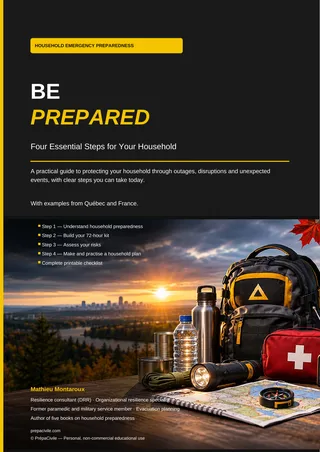
Start with the basics.
Our free “Be Prepared” guide: 72-hour kit, family plan and your own risk assessment.
Cyberattack
Index Quebec/Canada 7/9 · France 7/9
If you only do three things
- Turn on two-factor authentication for email and banking
- Back up important files offline
- Never act in a hurry on a message asking you to pay or log in
During
- Don’t pay a ransom or give out a code
- Disconnect the affected device from the internet
- Change passwords from another clean device
- Call your bank’s official number if money is involved
- Keep evidence (screenshots, messages)
After
- Report the incident (police, official bodies)
- Monitor accounts and your credit file
- Warn contacts if an account was hacked
- Restore from a clean backup
- Review your security settings
Emergency numbers: 911 (Canada) · 112 (France)
prepacivile.com/en/risks/cyberattack/