
In this article

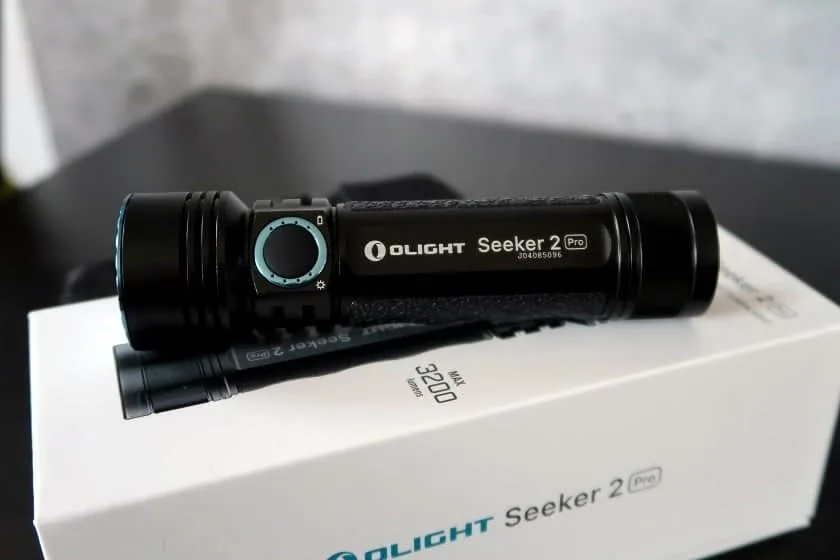
The Olight Seeker 2 Pro packs a lot of light into a size that fits in a jacket pocket: 3,200 lumens claimed on Turbo, a 5,000 mAh 21700 battery, and indicators that always show the selected level and the battery status. On paper, it is a versatile light. For preparedness, though, one point deserves your full attention: charging. Here is what you need to know.
Our take in short
In short. The Seeker 2 Pro is powerful, compact and comfortable in hand thanks to its silicone grip. Its level and battery indicators are rare on this size of light and very useful for managing your energy. The 5-lumen Moonlight mode offers up to 12 days of claimed runtime. On the other hand, it charges only through a proprietary magnetic cable, a full charge takes about 6 h 30, and Turbo steps down quickly because of heat. It is a good main light, as long as you keep a spare cable.
Specifications
| Feature | Olight Seeker 2 Pro |
|---|---|
| Emitters | 3 cool white LEDs (5,700 to 6,500 K), triple TIR optic |
| Claimed maximum output | 3,200 lumens (Turbo) |
| Claimed intensity | 15,600 candela |
| Claimed throw | 250 m (820 ft) |
| Battery | 1 × 21700 Li-ion, 5,000 mAh, 3.6 V (included) |
| Charging | Olight MCC magnetic cable (1 A) and L-Dock mount |
| Switch | one electronic side button |
| Water resistance | IPX8 |
| Length | 128 mm (5 in) |
| Head diameter | 35 mm (1.4 in) |
| Body diameter | 28 mm (1.1 in) |
| Weight | 198 g (7 oz), battery included |
What’s in the box
- the Seeker 2 Pro;
- a 5,000 mAh 21700 battery, pre-installed;
- an MCC magnetic charging cable (1 A);
- the L-Dock mount, with 3M tape, screws and cable clips;
- a holster;
- a cleaning cloth;
- the manual.
Build and handling
The Seeker 2 Pro borrows several features from the X9R, a much larger Olight light: the interface, the silicone grips and the LED indicators. The smaller size comes from the triple TIR optic, which replaces a large reflector, and the 21700 battery.
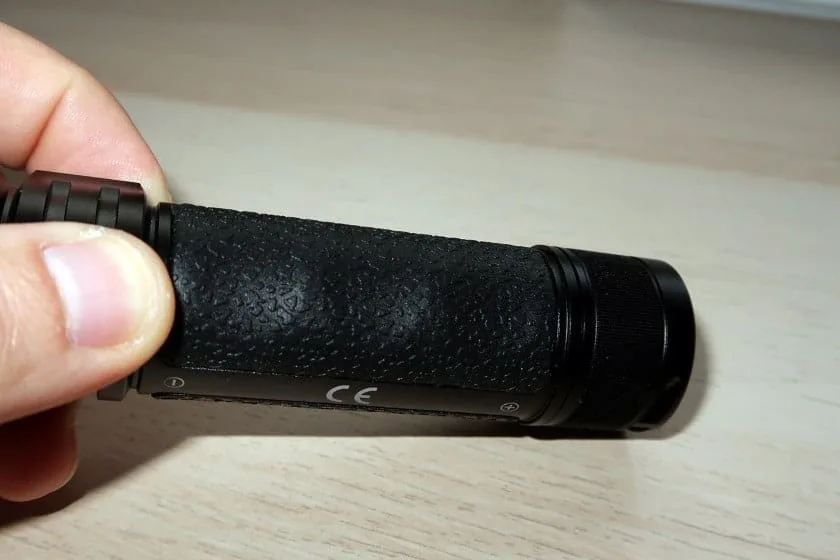
The silicone grip holds well, even with gloves. It also acts as partial insulation: on Turbo, the aluminum body heats up, and the grip protects your hand a little.
Level and battery indicators
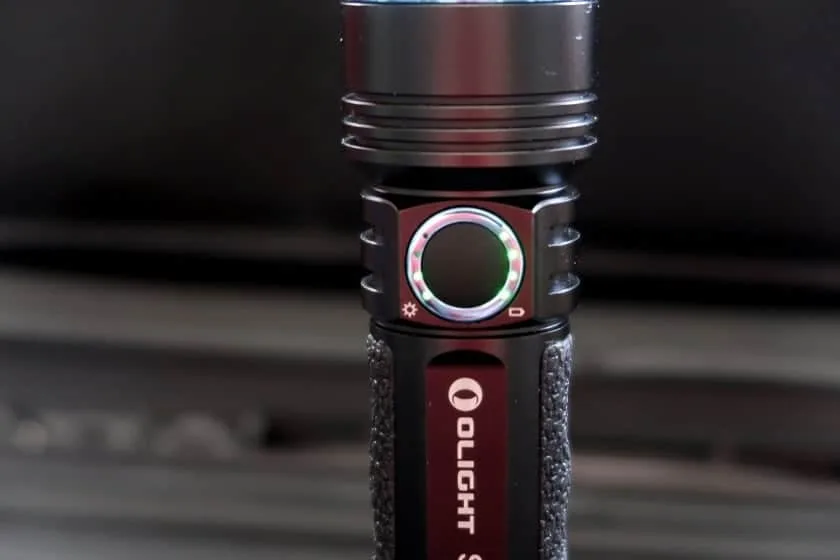
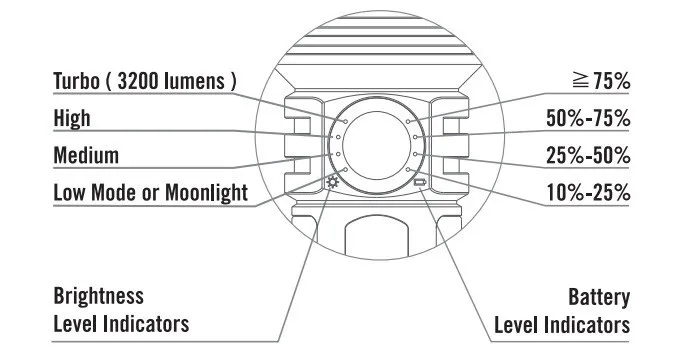
LED indicators sit on both sides of the body. The left side shows the selected brightness level, the right side the battery charge. In real use, this is valuable: you adjust the mode to the energy left, without guessing.
Battery and charging: the point to watch
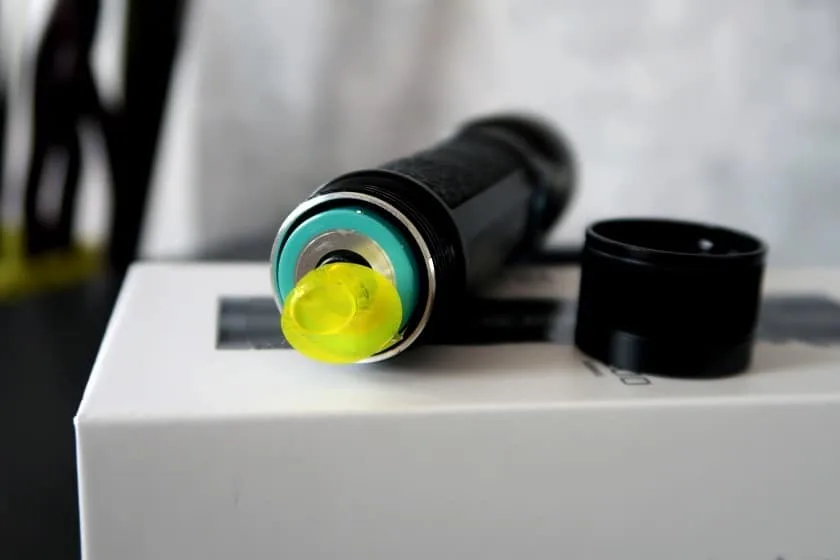
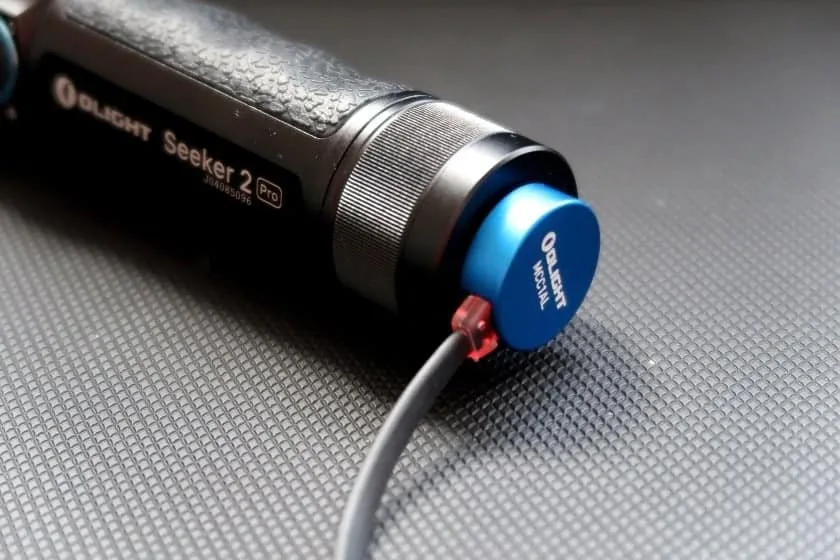
The light uses a 5,000 mAh 21700 battery, a large capacity for this size. It charges inside the light through Olight’s MCC magnetic cable, in a 1 A version. A full charge takes about 6 h 30.
The magnetic connector attaches easily, even in the dark or with gloves. But a regular USB cable cannot charge the light. If the Olight cable is lost or damaged, the light becomes useless once the battery is empty.
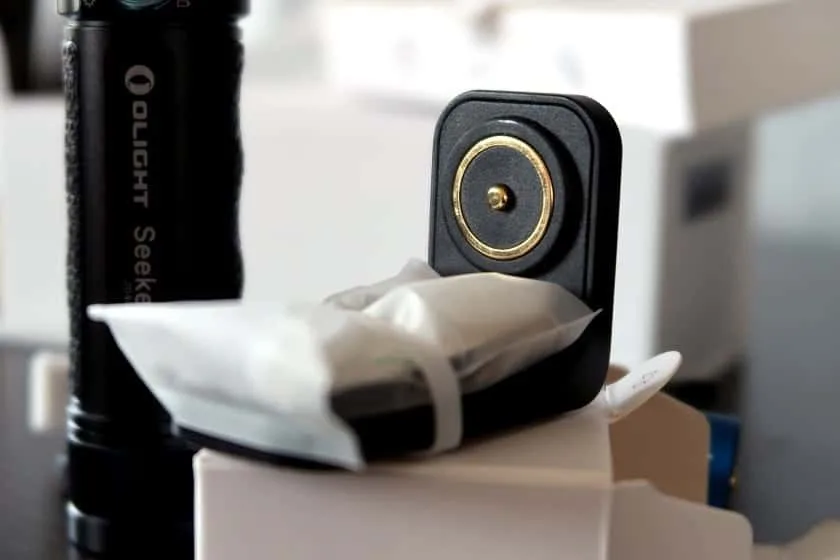
The included L-Dock mount holds the light in place while charging. It attaches with 3M tape or screws, for example near the front door, in a vehicle or on a workbench. It is a good way to keep a light always charged and always in the same place.
Modes and runtime
| Mode | Claimed output | Claimed runtime |
|---|---|---|
| Moonlight | 5 lumens | up to 12 days |
| Low | 50 lumens | — |
| Medium | 300 lumens | — |
| High | 1,200 lumens | — |
| Turbo | 3,200 lumens | about 150 min (with automatic step-downs) |
| Strobe | flashing | — |
Olight only gives runtimes for Moonlight and Turbo. The 150 Turbo minutes are a manufacturer figure: in practice, thermal management reduces output after a few minutes at full power. During a power outage, Moonlight and Low are the modes that matter: 5 lumens is enough to move around, and 50 lumens to cook or read.
The interface
| State | Action | Result |
|---|---|---|
| Off | Click | On in the last mode used |
| On | Click | Off |
| On | Press and hold | Cycle through the five levels |
| Off | Press and hold | Lowest mode |
| On | Double click | Turbo, or back to the previous mode |
| On | Double click then hold | 3- or 9-minute shut-off timer |
| Off | Hold for more than 2 s | Lock or unlock |
It is quick to learn. Lockout keeps it from turning on in a bag or the holster, and the timer avoids draining the battery if you fall asleep with it on.
The beam
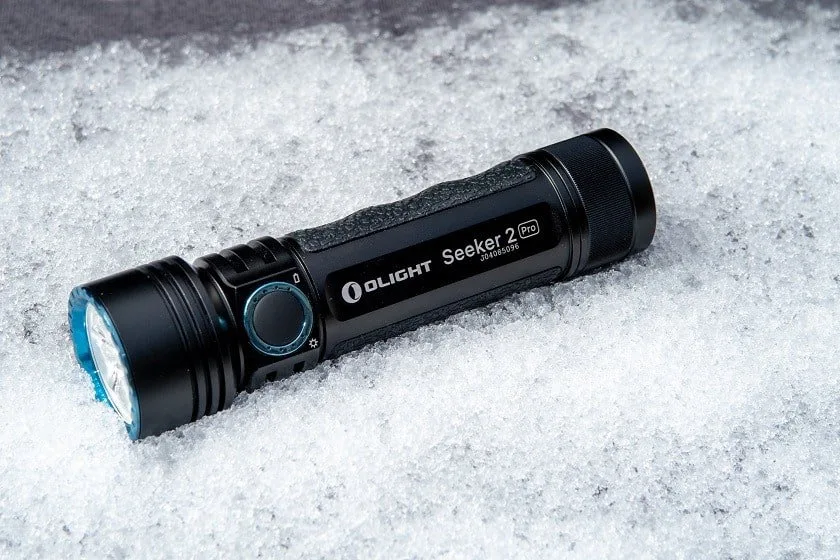
The triple TIR optic produces a wide beam with a present but soft centre spot. It is a versatile beam, more useful at close and mid range than a long-throw light. The tint is cool.
Where does it fit in a preparedness kit?
- A good main light: compact, powerful and with a truly frugal Moonlight mode, it covers most needs during a power outage.
- A spare cable is a must: keep a second MCC cable with the light, and a power bank to charge it without grid power.
- Redundancy: pair it with a light that runs on common batteries (AA or AAA), in case the cable or battery fails.
- The L-Dock as a fixed spot: mounted near the exit, it ensures you find the light charged the moment the power goes out.
Strengths and limitations
- Strengths3,200 lumens in a compact size; 5,000 mAh battery; level and battery indicators; Moonlight up to 12 days; lockout and timer; L-Dock included; IPX8.
- LimitationsCharges only through a proprietary magnetic cable; full charge takes about 6 h 30; Turbo limited by heat; cool tint; 198 g.
The verdict
The Seeker 2 Pro is a very complete compact light, and its level and battery indicators make it an excellent tool for managing energy during an outage. Its big weakness, for preparedness, is its reliance on a proprietary cable. If you adopt it as your main light, buy a spare cable and keep a light that runs on common batteries next to it.
Frequently asked questions
Can I charge it with a regular USB cable?
No. It charges only through Olight’s MCC magnetic cable or the L-Dock. Keep a spare cable.
Does it really hold 3,200 lumens for 150 minutes?
No. Turbo steps down automatically after a few minutes to limit heat; the 150 minutes are the total duration of the program, with its step-downs.
How long can it light during an outage?
On Moonlight, Olight claims up to 12 days. In practice, alternate between Moonlight and Low, and watch the battery indicator.
Transparency. This review is based on a unit provided by Olight Canada. Technical data come from the manufacturer’s product page and may change between versions; check with Olight or the retailer before buying.
Sources
- Olight, Seeker 2 Pro product page and manual (specifications, modes, interface and indicators).
- PrépaCivile, review of the supplied unit: photos and handling.
Go further: our reviews of the Warrior 3 and the Warrior X Turbo, the Power outage fact sheet and the emergency equipment builder.