
In this article
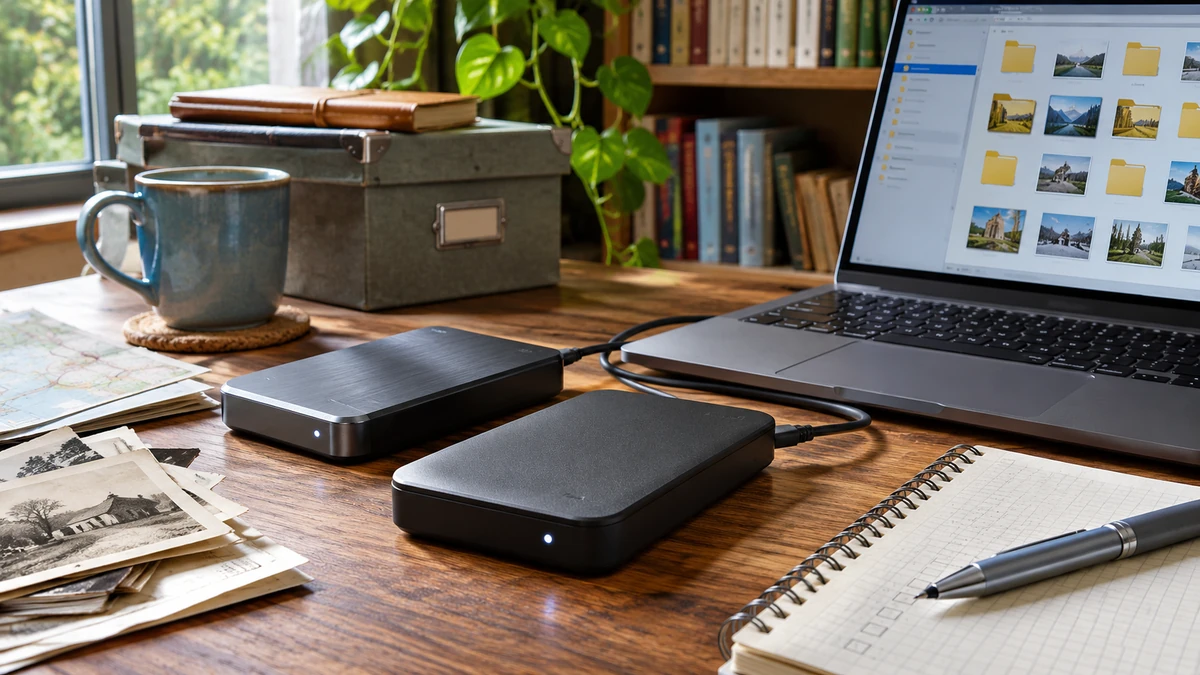
Our documents, photos and communications depend more and more on online services and devices we do not control. A platform outage, a failing drive, theft or ransomware is enough to make files inaccessible. This review of the Silicon Power Armor A80 portable hard drive is the starting point for a broader question: how to organize simple, distributed and properly tested backups at home.
At a glance
- Follow the 3-2-1 rule: three copies, on two types of media, one of them away from home.
- A rugged drive protects the casing, not your files: only a restore test proves a backup works.
- Start small: household documents, contacts and important photos, then expand.
Historical review: the observations below concern the model and unit examined at the time. Check the specifications, capacity and terms of sale of the exact model before buying.
Why keep your own copies
In 2016 and 2017, network disruptions made platforms such as Facebook, Netflix, Twitter or PayPal unavailable for several hours. Such an outage does not mean these services were hacked: a platform, network or domain-name resolution failure can have the same effect. Above all, it is a reminder that our communications, payments and documents often run through outside systems.
A service outage is usually temporary. A drive failure, theft or ransomware, on the other hand, can lose files for good. There is no need to imagine an extreme scenario such as an electromagnetic pulse: ordinary incidents are enough to justify backups. You may also want to keep practical information offline (contacts, manuals, maps); if so, plan the device, power and software to read it, because owning a file does not guarantee you can open it during an outage.
The 3-2-1 rule, as presented by the Canadian Centre for Cyber Security: three copies of your data, on two different types of media, one of them stored off-site. A copy unplugged from the computer also reduces exposure to attacks targeting connected devices. Keeping all copies together, or plugged into the same computer, creates common points of failure.
A pouch or box sold as a "Faraday cage" does not replace tested, distributed copies: it protects against neither handling errors, loss nor drive failure.
Reviewing the Silicon Power Armor A80
The review unit was provided free of charge by Silicon Power; we mention this for transparency. The author compared it with familiar benchmarks, Western Digital and Seagate drives, without this amounting to a ranking of manufacturers. The Amazon reviews cited at the time are not verified current ratings.
Advertised features and what they mean
| Feature | What was advertised | What it means |
|---|---|---|
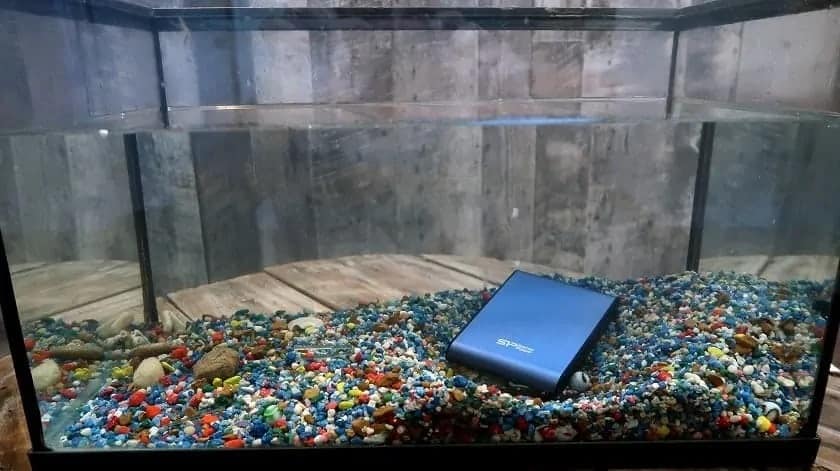
| Water resistance | IPX7: immersion up to 1 m for 30 minutes, under test conditions | The "X" means no dust rating is given. A wet drive should not stay in service; a waterproof casing does not guarantee file integrity. |
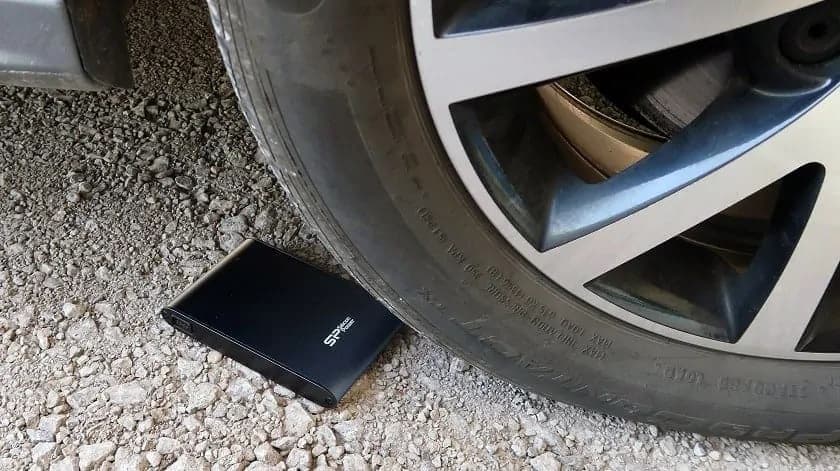
| Drop resistance | MIL-STD-810F, method 516.5, procedure IV: drops of about 1.2 m (4 ft) in 26 orientations | It is a declared test protocol, not military certification or a promise for every surface. Never run a "torture test" on your only backup. |
| Interface | USB 3.0 (5 Gbit/s theoretical) | That is the interface's maximum rate, not the drive's write speed. The drive, port, cable and files determine the real time. |
| Use | Portable format, USB-powered, "Plug and Play" | Check format compatibility with your devices, encryption, and adapters for phones or tablets. |
Portability has a downside: a drive you carry can also be lost or stolen. It replaces neither theft protection nor a second copy kept elsewhere.

What the author liked, and what remains to check
After several months of use, the author had noticed no problems and found the drive fast. These are usage impressions, not a longevity test or a measured comparison with 7,200 rpm drives; a rotation speed of 5,400 rpm alone does not predict a unit's performance. If buying today, check the exact model and your needs rather than taking this verdict as is.
The review photos are kept for documentation. To judge a drive, do not immerse or drop it: check instead that your copies can be read and that you can restore your files.
What to back up first
Household documents
ID, contact details, insurance policies, a home inventory with photos and receipts. They make a claim easier, without replacing the policy's requirements. Do not multiply copies of very sensitive numbers, such as your Social Insurance Number; protect the copies and keep the official originals.
Practical documentation
Manuals, guides and official PDFs to consult offline, respecting access rights. Keep the original document and its date; check the author and currency of an old manual. A few essential instructions on paper stay useful without a battery.
Personal archives
Photos, videos, genealogy, journals and creative work. The author had digitized a spouse's genealogy research and a grandfather's journals with a scanner costing about $90 at the time. For music or e-books, offline playback depends on licences and software.
Also make sure authorized members of the household know where this information is and how to open it.
A project sized to your household
Start by measuring the volume you actually need and how it is growing before choosing a capacity: the old advice of at least five terabytes does not apply to every household. USB keys, hard drives, cloud storage and optical discs each have limits in capacity, compatibility, wear and drive availability; an old computer can serve if it is still reliable.
For the author, the project took a winter and cut fifteen archive boxes down, with a copy drive entrusted to a relative. That is an example, not a required timeline, and originals should not be destroyed after a first scan: keep official and irreplaceable documents, check the files, then test a restore. A copy with a relative diversifies locations, provided you agree on confidentiality, updates and access.
Cost and time depend on volume, available drives, encryption and the state of the archives. This project is not reserved for people who already have solar panels or water filters: each household sets its own priorities. An unplugged copy, another kept elsewhere and a restore test are often worth more than one very rugged drive. Backup is regular maintenance, not a one-time job.
Organizing a first backup test
Define the content. Separate administrative documents, photos, contacts and manuals. Start with a small set whose contents you know, and note what is missing. Keep the source of public documents so you can check for updates.
Name and date. Use clear file names and simple folders. Distinguish the original from a working copy, and never overwrite an official document with a modified version.
Plan access. If the copy is encrypted, plan how to recover the key or password without leaving it next to the drive. A trusted person can know the procedure. Do not rely solely on an online account that might be inaccessible during an outage.
Test a restore. Copy a test folder to another location and open several file types. Check names, the number of items and readability: a "copy complete" message does not prove everything is recoverable. Do not delete originals during this test.
Distribute the copies. Decide where each copy will be and who has access. Separation only makes sense if the drives do not end up in the same bag. Unplug the offline copy after backing up, using your system's eject procedure.
Maintain. Update after any major change (new photos, new insurance, new phone) and check periodically. Note the date of the last test.
These documents also belong in your emergency plan: take stock with your preparedness review.
Frequently asked questions
Is a "rugged" hard drive enough as a backup?
No. It withstands shocks and water better, but it is still a single copy, exposed to failure, loss, theft or error. The 3-2-1 rule spreads the risk: several copies, on different media, one of them away from home.
Doesn't the cloud solve the problem?
It makes a good off-site copy, but it depends on the internet, your account and the provider. During an outage, you might not be able to reach it. Combine it with at least one unplugged local copy.
Should backups be encrypted?
It is strongly recommended for sensitive documents, especially on a portable drive or one entrusted to a relative. Then plan a safe way to recover the key: an encrypted backup whose password is lost is a lost backup.
Sources and verification references
- Canadian Centre for Cyber Security: tips for backing up your information (ITSAP.40.002)
- Silicon Power: current Armor A80 product page (it does not retroactively certify every older unit)
Equipment to compare for your needs
Some links below are affiliate links: we may receive a commission at no additional cost to you. Products are examples by function, to choose according to your needs; buying the entire selection is unnecessary.